OpenWRT & PPTPD: A Love Story
Firesheep got me thinkin' that I should probably do a little more to beef up the security of my Internet connection on public networks. PPTP has always been a favorite of mine, because it hides traffic well enough to deter most people and it's easy to setup on both Linux and Windows. I ran a Windows PPTP server for years, but recently decided to just host the service my WRT54GS v3 router running OpenWRT. Three hours later, I've got it running smoothly. Here's how I did it:
First, I installed and setup OpenWrt Backfire 10.03 and set my internal IP pool to be on the 172.16.x net, with the gateway (OpenWRT router being 172.16.1.1). Then, I headed over to OpenWRT's PPTPD HOW-TO.
1opkg update
2opkg install pptpd
3opkg install kmod-crypto
4opkg install kmod-mppe
5/etc/init.d/pptpd enable
6/etc/init.d/pptpd start
I believe my /etc/ppp/options file doesn't have any modifications, but just in case, this is what it looks like:
1#debug
2logfile /dev/null
3noaccomp
4nopcomp
5nocrtscts
6lock
7maxfail 0
8lcp-echo-failure 5
9lcp-echo-interval 1
Now that I think about it, very few modifications were ultimately made to /etc/ppp/options.pptpd
 1auth
 2name "pptp-server"
 3lcp-echo-failure 3
 4lcp-echo-interval 60
 5default-asyncmap
 6mtu 1482
 7mru 1482
 8nobsdcomp
 9nodeflate
10#noproxyarp
11#nomppc
12chapms-strip-domain
13# Otherwise, your chap-secret file will have to include "DOMAIN\\user" instead of user.
14mppe required,no40,no56,stateless
15require-mschap-v2
16refuse-chap
17refuse-mschap
18refuse-eap
19refuse-pap
20ms-dns 172.16.1.1
21#plugin radius.so
22#radius-config-file /etc/radius.conf
If you compare this to the original file, you'll notice I deleted the entry "172.16.1.1:" at the top of the file, and added the entry: ms-dns 172.16.1.1. I don't know why, but DNS didn't work well when the the client's defaults were used so I forced them to use the router's LAN DNS server.
Then I added some users to the /etc/ppp/chap-secrets file. I'll paste the contents, then go over the details. Oh, and don't forget to chmod 600 /etc/chap-secrets because the file's perms are insecure by default:
1#USERNAME PROVIDER PASSWORD IPADDRESS
2iphone pptp-server suprAdv4ncedPwd! 192.168.80.1
3ipad pptp-server rlyAdv4ncedPwd! 192.168.80.11
4hackbook pptp-server megaAdv4ncedPwd! 191.68.80.3
5windows pptp-server ttllyAdv4ncedPwd! 192.168.80.2
6extra pptp-server megaAdv4ncedPwd! 192.68.80.4
The chap-secrets file alone suggests that OpenWRT/PPTP is not an enterprise solution. I wouldn't propose it for any company with a decent budget, but times are tough and ghetto is looking better than ever to many companies.
I would actually have fewer entries in this file if the IPADDRESS field was not such a big issue. Unfortunately, it seems that the DHCP pool has been compiled into the service. It sets up the router's pppN to be 192.168.0.x and assigns the clients a 192.168.1.x address by default. Which is unfortunate, because SO DOES EVER OTHER RESIDENTIAL ROUTER, EVER. So routing issues keep pop up. Because of that, I force PPTPD to assign each user a specific IP, in the 192.168.80.x range because I've never seen any router use that subnet.
The usernames are whatever you'd like them to be (I made them the name of my devices) but if you are dialing-in from a Windows machine, you will have to preface the username with the Windows domain name or the name of your workstation if you are not on a domain UPDATE: adding chapms-strip-domain to options.pptpd fixes this. The "pptp-server" is what the service was named in options.pptd, the password is just that, and the IPADDRESS is the IP that the given client will be assigned.
Initially, my /etc/firewall.user didn't have all the proper entries, so my client was able to authenticate and all that, but no traffic was being routed to the 172.16.x subnet, nor was it being routed to the Internet. Here's what worked:
 1# This file is interpreted as shell script.
 2# Put your custom iptables rules here, they will
 3# be executed with each firewall (re-)start.
 4iptables    -A input_wan -p tcp --dport 1723 -j ACCEPT
 5iptables    -A input_wan -p gre -j ACCEPT
 6
 7iptables -A input_rule -i ppp+ -j ACCEPT
 8iptables -A forwarding_rule -i ppp+ -j ACCEPT
 9iptables -A forwarding_rule -o ppp+ -j ACCEPT
10iptables -A output_rule -o ppp+ -j ACCEPT
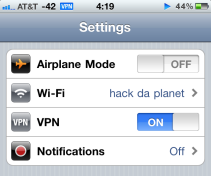
The first block allows clients to connect to the PPTP service and the second one allows it to communicate with both the Internet and the local network. And voila, you are done. I know it seems straightforward and doesn't deviate much for the default install, but it took over three hours of trial and error to get here. I've logged in successfully with an iPhone (over 3G, EDGE and wifi), an iPad, a Windows 7 machine and Mac OS X. The iPhone is of special importance to me -- after connecting to a local coffee shop's unsecured network on my laptop and my iPhone, I successfully hijacked my iPhone's Facebook app session using FireSheep. So, now I'll be encapsulating all of my traffic by sending it over to the fiber connection at my office, what what.
Next up, I'll probably start playing around with the RADIUS plugin. Stay tuned.