Can We Get These 3 SQLPS Issues Fixed before SQL Server 2016 RTMs?
YES WE CAN! Microsoft responded and fixed these 3 major issues in SQL Server Management Studio March 2016 Refresh. Read more at "WE DID IT! Microsoft Fixed Those 3 SQLPS Issues in SQL Server 2016".
I'll be honest, I don't use the SQLPS module even though I'm the perfect candidate. I've been a SQL Server DBA since 1999 and a PowerSheller since 2005. A large majority of my PowerShell work is done within SQL Server, and still, I'd rather look up the syntax to load SMO assemblies, than to Import-Module SQLPS, and I'm not the only one.
Reasons I don’t use SQLPS
- It takes 3-5 seconds to load
- It changes my directory
- It produces warnings upon load
I feel displaced when I load the SQLPS module. Why does it take so long? Why you gotta yell all these warnings at me? Wait, where am I? SQLPS's behavior seems to mimic that of the sqlps.exe minishell when it should really just be itself.
Please upvote these items on Microsoft Connect
SQLPS has a lot of bugs that need to be addressed (I'll get to that soon), but I propose we start with these three.
- SQLPS module is slow to load
- Loading SQLPS module changes current directory to PS SQLSERVER:\>
- SQLPS module uses unapproved PowerShell verbs
Each item even has suggested fixes. The fixes are pretty straightforward (said the DBA who doesn't do QA). Bugs 1 and 2 suggest modifying a few lines in SqlPsPostScript.ps1, while number 3 probably requires a recompile and we're not really sure how challenging that will be.
If you're thinking that Microsoft won't approve the the disapproved verbs request because of backwards compatibility issues, no fear, the Connect item suggests using Set-Alias to address this concern.
Why now? We've been waiting for years.
Recently, I teamed up with Aaron Nelson, a SQL Server MVP and Lead of SQL PASS PowerShell Virtual Chapter. Aaron is a SQL Server DBA, a huge proponent of PowerShell and he is also not a user of SQLPS in its current state. But he wants to be. I do, too. You probably do too if you aren't already.
Aaron helped get this ball rolling the other night when we were working on some SQL PASS abstracts. He was writing up a session proposal about SQLPS, and I decided to take a stab at figuring out why SQLPS loaded so slowly.
Ultimately, commenting out two lines and adding one changed the load time from 5.1 seconds to 0.345 seconds. JUST LOOK AT THE POSSIBILITIES:
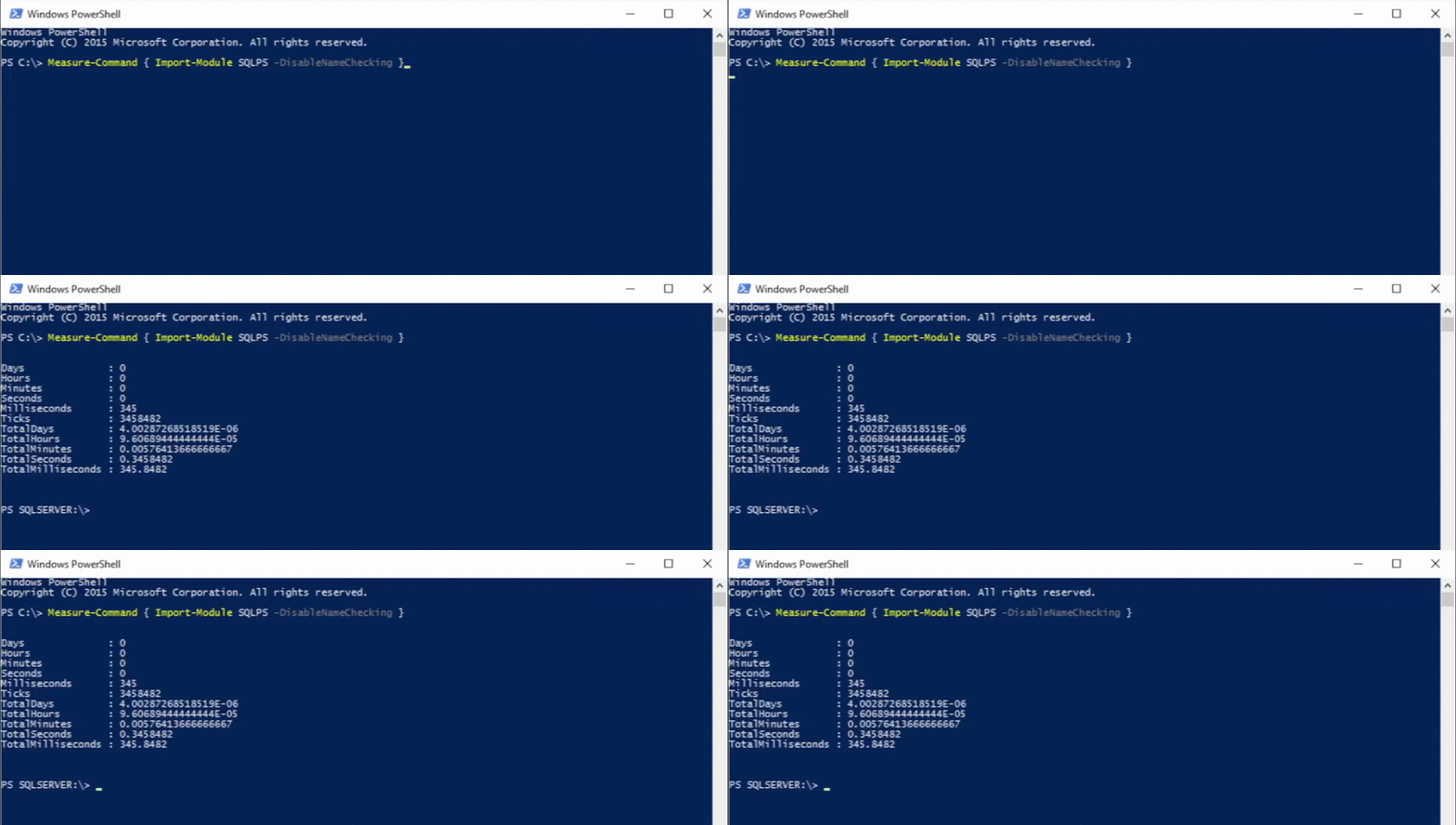
This doesn't have to be a (partial) pipe dream
The fact that the change was so simple yet so significant gave us hope. Maybe beginning to fix the SQLPS module doesn't have to be this big thing.
We all want to want to use SQLPS
SQLPS has sordid past and sometimes just talking about it seems kind of controversial. Some folks vigorously defend it. Some denounce it. Ultimately, though, we all just want it to work.

(for now)
We want a module that imports quickly, with no warnings and no change of directory. And while we all would love a well-developed module like those bestowed upon Lync, Exchange and SharePoint, I know we'll all accept, for now, for this RTM, a module that works well right out the box.
Share
Time is running out, so let's rally right now for a better SQLPS in SQL Server 2016 RTM. Please share this post, a post of your own, or the Connect items themselves.
Can We Get These 3 SQLPS Issues Fixed before SQL Server 2016 RTMs? Connect: SQLPS module is slow to load Connect: SQLPS module uses unapproved PowerShell verbs Connect: SQLPS module changes current directory
"Can We Get These 3 SQLPS Issues Fixed before SQL Server 2016 RTMs? We've provided the solutions." — Chrissy LeMaire, March 4, 2016
Going Forward
As for future bug fixes, I'm going to create a repository somewhere, perhaps this blog, perhaps somewhere more official, that will hopefully bring visibility to all SQLPS bugs that have been submitted. I'll do what I can to keep the momentum going. Perhaps I'll even throw out a Twitter bot that searches for SQLPS bugs and posts them for easy retweeting.
Either way, keep an eye out on my Twitter or this blog for more info.