Fixing Claude Code's PowerShell Problem with Hooks
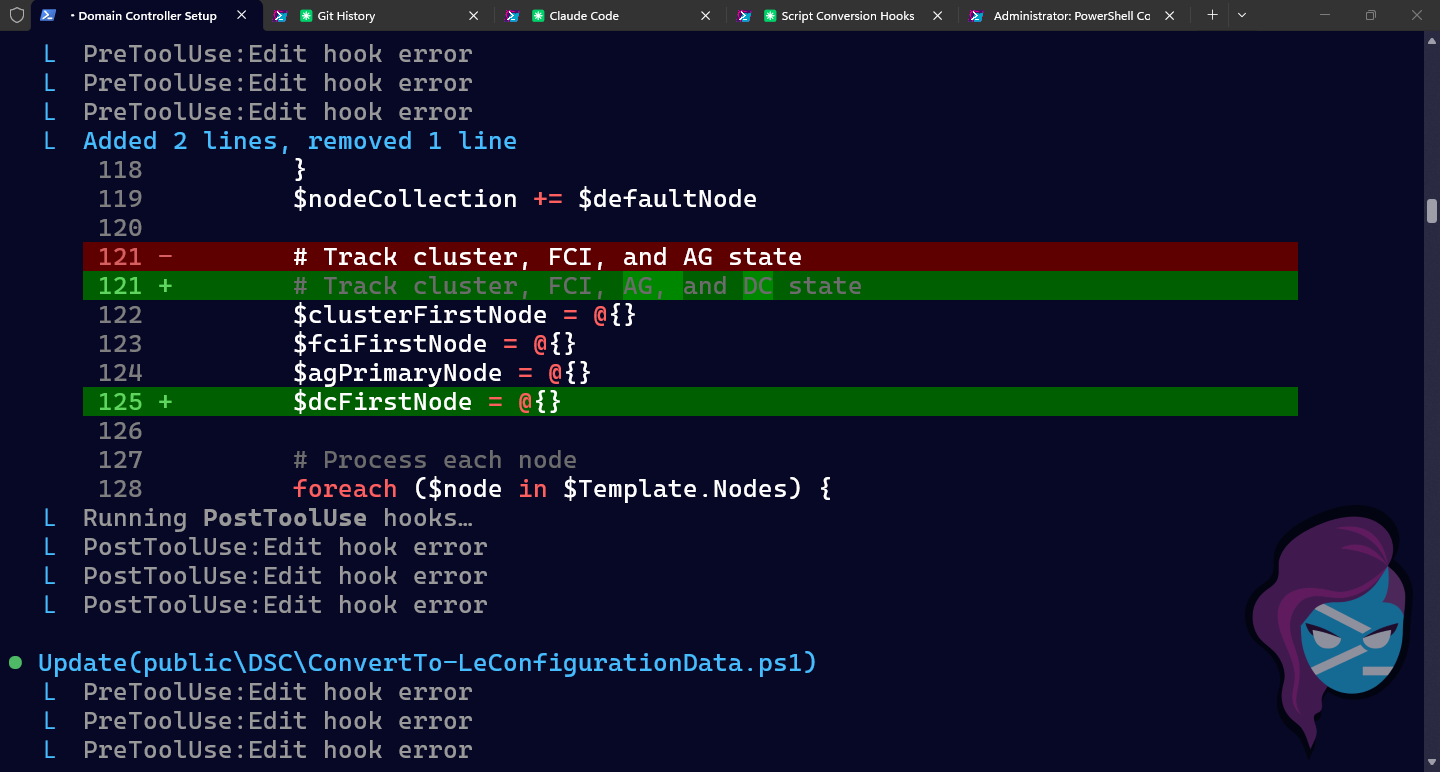
TIP: Just paste this url into Claude Code and say "implement this for me"
Claude Code writes great PowerShell, but it's not the best at using it as a shell. It's basically bash on top of PowerShell. Every single session, I see the same thing:
- It tries
powershell.exe -Command(Windows PowerShell 5.1, modules don't load) - It fails, switches to
pwsh -Commandwith inline code (bash eats the quoting) - It fails again, finally writes a
.ps1file and runspwsh -File(works instantly)
Three attempts. Most times. Even with explicit instructions in CLAUDE.md telling it to go straight to the script file approach. I documented the correct pattern months ago and it still burns through two failures before doing the right thing.
Why This Happens
Claude Code runs inside Git Bash on Windows. When you pass PowerShell commands inline through bash, everything goes wrong:
$_gets expanded by bash before PowerShell ever sees it. YourWhere-Object { $_.Name }becomesWhere-Object { .Name }. Silent, wrong results.- Backslash paths get mangled.
C:\Users\clbecomesC:Userscl. - Quoting is impossible. PowerShell's quoting rules conflict with bash's. Nested quotes, single vs double, escape characters — it's a guaranteed mess.
- powershell.exe (5.1) can't load modules in Claude Code's execution context.
ConvertTo-SecureString,Invoke-Command, basic stuff just fails with "module could not be loaded."
These are tracked as open issues on GitHub (#5049, #16225) with no official fix as of today in February 2026.
The Fix: A PreToolUse Hook
I LOVE HOOKS! Have I ever written one? No. Have I written any code in the past several months? No. Am I in heaven? Yes.
I often hang out on the reddit AI forums, but don't post (hell no) and a lot of people mentioned hooks. I thought they were talking about Git hooks and not Claude Code hooks.
So Claude Code hooks let you intercept tool calls before they execute. A PreToolUse hook on the Bash tool can inspect the command and actually BLOCK(!) it if it matches a bad pattern. Amazing.
I didn't know this, though. So I asked Claude to go and research hook and probably pasted it a discussion on reddit and then I said how can this apply to me?
So it gave me some hooks and after I understood how they worked, I asked Claude to help me build hooks to prevent how it interacts with PowerShell and the repeated errors I see.
Create .claude/hooks/pre-bash-pwsh-script.sh in your project (or ~/.claude/hooks/ for global):
 1#!/usr/bin/env bash
 2# PreToolUse hook: block inline PowerShell from Bash.
 3# Reads hook JSON from stdin, checks for pwsh -Command / pwsh -c patterns.
 4input=$(cat)
 5command=$(echo "$input" | grep -oP '"command"\s*:\s*"\K[^"]*' | head -1)
 6
 7# Block powershell.exe entirely (Windows PowerShell 5.1)
 8if echo "$command" | grep -qiP '\bpowershell(\.exe)?\b'; then
 9  cat <<'EOF'
10{"hookSpecificOutput":{"hookEventName":"PreToolUse","permissionDecision":"deny",
11"permissionDecisionReason":"Do not use powershell.exe (Windows PowerShell 5.1). Write a .ps1 file and run: pwsh -NoProfile -File <script.ps1>"}}
12EOF
13  exit 0
14fi
15
16# Block pwsh -Command / pwsh -c with inline code
17if echo "$command" | grep -qiP 'pwsh(\s+-\w+)*\s+-(c|Command)\b'; then
18  cat <<'EOF'
19{"hookSpecificOutput":{"hookEventName":"PreToolUse","permissionDecision":"deny",
20"permissionDecisionReason":"Do not run inline PowerShell via pwsh -Command. Write the script to scratchpad/<name>.ps1 first, then execute with: pwsh -NoProfile -File scratchpad/<name>.ps1"}}
21EOF
22  exit 0
23fi
24
25exit 0
The hook receives JSON on stdin with tool_name and tool_input.command. It checks two patterns:
powershell.exe— blocked entirely, you want PowerShell 7pwsh -Command/pwsh -c— blocked, forces the script file approach
Commands like pwsh -NoProfile -File script.ps1 pass through untouched. So does every non-PowerShell command.
Register the Hook
Add the hooks section to ~/.claude/settings.json. I use $CLAUDE_PROJECT_DIR so each project can have its own hook scripts (or no-op stubs for hooks that don't apply):
 1{
 2  "hooks": {
 3    "PreToolUse": [
 4      {
 5        "matcher": "Bash",
 6        "hooks": [
 7          {
 8            "type": "command",
 9            "command": "\"$CLAUDE_PROJECT_DIR\"/.claude/hooks/pre-bash-pwsh-script.sh",
10            "timeout": 10
11          }
12        ]
13      }
14    ]
15  }
16}
That's it. Next session, Claude Code will get blocked on its first bad attempt and immediately switch to the correct pattern.
Bonus: Fixing the Glob Tool Too
While I was at it, I built a hook to manage the errors made by the built-in Glob tool (file search by pattern), which is unreliable on Windows. It uses ripgrep with --no-ignore, which means it scans .git directories, node_modules, build output, everything. On any non-trivial repo, it times out at 20 seconds or fails silently on permission errors (#22379).
fd is a much better alternative. It respects .gitignore by default and is significantly faster. So I installed fd with choco install fd (or winget install sharkdp.fd), and added a second hook.
Create .claude/hooks/redirect-glob.sh:
 1#!/usr/bin/env bash
 2# PreToolUse hook: Redirect Glob tool to fd.
 3# Glob uses ripgrep --no-ignore, scanning .git/node_modules/build artifacts.
 4# fd respects .gitignore by default and is significantly faster.
 5input=$(cat)
 6
 7tool=$(echo "$input" | grep -oP '"tool_name"\s*:\s*"\K[^"]*' | head -1)
 8if [ "$tool" != "Glob" ]; then
 9  exit 0
10fi
11
12pattern=$(echo "$input" | grep -oP '"pattern"\s*:\s*"\K[^"]*' | head -1)
13path=$(echo "$input" | grep -oP '"path"\s*:\s*"\K[^"]*' | head -1)
14
15search_in=""
16if [ -n "$path" ]; then
17  search_in=" \"$path\""
18fi
19
20cat >&2 <<EOF
21BLOCKED: Glob tool is unreliable on Windows (timeouts, silent failures).
22Use fd via Bash instead. fd respects .gitignore and is much faster.
23
24Your pattern was: $pattern
25Equivalent fd commands:
26  fd --type f --glob '$pattern'$search_in
27  fd --type f --extension ps1$search_in      # find by extension
28  fd --type f 'keyword'$search_in             # find by name substring
29EOF
30exit 2
Add both hooks to settings.json:
 1{
 2  "hooks": {
 3    "PreToolUse": [
 4      {
 5        "matcher": "Bash",
 6        "hooks": [
 7          {
 8            "type": "command",
 9            "command": "\"$CLAUDE_PROJECT_DIR\"/.claude/hooks/pre-bash-pwsh-script.sh",
10            "timeout": 10
11          }
12        ]
13      },
14      {
15        "matcher": "Glob",
16        "hooks": [
17          {
18            "type": "command",
19            "command": "\"$CLAUDE_PROJECT_DIR\"/.claude/hooks/redirect-glob.sh",
20            "timeout": 10
21          }
22        ]
23      }
24    ]
25  }
26}
Also add "Bash(fd:*)" to your permissions allow list so fd commands run without prompts.
Bonus 2: Catching Backslash Paths
This one bit me repeatedly. Claude Code constructs a perfectly good command like:
1pwsh -NoProfile -File C:\github\LeLab\scratchpad\check-dc2-dsc.ps1
Looks fine. But Git Bash interprets \g, \L, \s, \c as escape sequences, and pwsh receives:
1C:githubLeLabscratchpadcheck-dc2-dsc.ps1
The fix is forward slashes — C:/github/LeLab/scratchpad/check-dc2-dsc.ps1 — which PowerShell handles fine on Windows. But Claude keeps forgetting, even with instructions in CLAUDE.md. So: another hook.
Create .claude/hooks/pre-bash-backslash.sh:
 1#!/usr/bin/env bash
 2# PreToolUse hook: block Bash commands containing Windows backslash paths.
 3input=$(cat)
 4command=$(echo "$input" | grep -oP '"command"\s*:\s*"\K[^"]*' | head -1)
 5
 6# Match drive-letter paths with backslashes: C:\, D:\, etc.
 7if echo "$command" | grep -qP '[A-Za-z]:\\\\'; then
 8  cat <<'EOF'
 9{"hookSpecificOutput":{"hookEventName":"PreToolUse","permissionDecision":"deny",
10"permissionDecisionReason":"Windows backslash paths are mangled by Git Bash. Use forward slashes instead (e.g. C:/github/LeLab/scratchpad/foo.ps1). PowerShell handles forward slashes fine on Windows."}}
11EOF
12  exit 0
13fi
14
15exit 0
Add it alongside the other Bash hooks in ~/.claude/settings.json:
1{
2  "type": "command",
3  "command": "\"$CLAUDE_PROJECT_DIR\"/.claude/hooks/pre-bash-backslash.sh",
4  "timeout": 10
5}
Same pattern as the inline PowerShell hook — just a regex check, so bash is the right choice (no pwsh startup tax). Claude gets blocked, reads the feedback, reissues the command with forward slashes, and it works first try.
Bonus 3: The CRLF Trap
This one took me forever to figure out. I had a Stop hook (fires when Claude finishes) that was the simplest possible script:
1#!/usr/bin/env bash
2exit 0
Three lines. A no-op. And it failed 100% of the time.
The problem: Windows line endings. Git on Windows defaults to core.autocrlf=true, which converts LF to CRLF on checkout. Your shell script looks fine in your editor, but the actual bytes on disk are:
1#!/usr/bin/env bash\r\n
Bash reads that shebang and looks for a binary called bash\r — with a literal carriage return in the name. Doesn't exist. Every hook fails with a cryptic "bad interpreter" error.
The fix is a single line in .gitattributes:
1*.sh text eol=lf
This tells Git to always check out .sh files with LF endings, even on Windows. After adding this, renormalize your existing files:
1# Strip existing CRs from all .sh hook files
2for f in .claude/hooks/*.sh; do sed -i 's/\r$//' "$f"; done
This is a Windows-specific gotcha that will bite you on every repo. Add the .gitattributes rule to your project template and forget about it. If you've got hooks that are silently failing, check file .claude/hooks/*.sh — if you see "with CRLF line terminators", that's your problem.
The "Sibling Tool Call Errored" Thing
If you've seen this in your logs and wondered what it is, it's actually unrelated to PowerShell. When Claude Code uses multiple tool calls in parallel and one fails, the other calls in the same batch get cancelled and show "Sibling tool call errored." Turns out it's nothing to worry about.
What's Actually Happening Under the Hood
If you're curious (and I'm not) PreToolUse hook runs as a subprocess every time Claude Code is about to execute a Bash command. The flow:
- Claude Code decides to run
pwsh -Command 'Get-Process' - Before executing, it pipes JSON to your hook script via stdin
- Your script checks the command against the blocked patterns
- Exit code 2 → command is blocked, stderr message sent back to Claude
- Claude reads the feedback and writes a
.ps1file instead - Hook runs again on
pwsh -File script.ps1→ exit code 0 → allowed
The 10-second timeout keeps calls fast. pwsh startup adds ~300-500ms per hook invocation. For a single hook, it's barely noticeable. But hooks stack — once you have multiple command hooks firing on every tool call, that overhead compounds. More on this in the bash vs PowerShell section below.
All My Hooks
Once I got the hang of it, I went a little nuts. Here's everything I'm running now.
Global Hooks (all projects)
These live in ~/.claude/settings.json and fire on every project. I use $CLAUDE_PROJECT_DIR in the hook paths so each project can provide its own implementation — or a no-op stub (exit 0) for hooks that don't apply.
PreToolUse (before execution):
| Hook | File | Type | What it does |
|---|---|---|---|
| PowerShell validator | pre-bash-pwsh-script.sh | command | Blocks powershell.exe and pwsh -Command inline. Forces script files. |
| Backslash path blocker | pre-bash-backslash.sh | command | Blocks C:\path style paths in Bash commands. Git Bash eats backslashes. Forces forward slashes. |
| Glob redirect | redirect-glob.sh | command | Blocks the built-in Glob tool. Redirects to fd. |
Project-Specific Hooks (my LeLab project)
These live in the project's .claude/settings.json and only fire when I'm working in that repo. This is a Hyper-V lab that uses DSC (Desired State Configuration) for everything, so the hooks enforce infrastructure-as-code discipline.
PreToolUse:
| Hook | File | Type | What it does |
|---|---|---|---|
| Block auto-generated files | block-autogenerated.sh | command | Prevents editing configuration/LeLab.ps1 which is compiled from fragments. |
| Lab access validator | — | prompt | Validates SSH/remote commands to lab VMs. Always allows lab access (credentials are infrastructure-as-code). |
| Ad hoc install blocker | — | prompt | Blocks winget install, choco install, etc. on lab VMs. Forces software installation through DSC fragments. |
| Ad hoc config blocker | — | prompt | Blocks ad hoc system changes (firewall rules, registry, services) on lab VMs. Forces DSC. |
PostToolUse (after writing code):
| Hook | File | Type | What it does |
|---|---|---|---|
| Backtick checker | check-backtick.ps1 | command | Scans .ps1 files for backtick line continuation. Tells Claude to use splatting. |
| Em-dash blocker | check-emdash.ps1 | command | Blocks em-dash (U+2014) in code lines of .ps1 files. PS 5.1 can't parse it. |
| Variable-colon detector | — | prompt | Catches "$vmName: offline" in .ps1 files. PowerShell treats that as a scope reference. Should be "$($vmName): offline". |
| Chocolatey enforcer | — | prompt | Flags raw URL downloads in DSC fragments. Suggests cChocoPackageInstaller instead. |
That's 11 hooks total across two scopes. The global ones fix Claude Code's Windows/PowerShell problems. The project ones enforce my infrastructure-as-code rules so Claude can't take shortcuts that won't survive a lab rebuild.
Command vs Prompt Hooks
You'll notice two types in the table. Command hooks run a script that parses the JSON and makes a decision. Prompt hooks are wild — they send the tool input to Claude itself and ask it to evaluate whether the action is okay. It's Claude reviewing Claude's work. The prompt hooks are slower (they make an extra API call) but they can evaluate nuanced things that regex can't, like "is this command making an ad hoc configuration change on a lab VM?"
Bash vs PowerShell for Command Hooks
You'll notice most of my command hooks are .sh files, not .ps1. The reason is startup time.
Every command hook spawns a new process. pwsh takes ~300-500ms just to start, before your script even runs. Bash starts in ~10-50ms. When hooks stack (and they will — I have multiple hooks firing on every tool call), that difference adds up fast.
The rule is simple: if the hook just pattern-matches a string, write it in bash. If it needs to read files from disk, scan line by line, or do anything that would be painful with grep, write it in PowerShell.
In practice, that means:
- Bash:
block-autogenerated.sh(is this file pathconfiguration/LeLab.ps1?),pre-bash-pwsh-script.sh(does this command containpwsh -Command?),pre-bash-backslash.sh(does this command haveC:\backslash paths?),redirect-glob.sh(redirect Glob to fd) — just regex checks, no reason to pay the pwsh tax. - PowerShell:
check-backtick.ps1(read the file, scan every line for trailing backticks) —Get-Contentand aforloop is natural in PowerShell and ugly in bash.
If you want the PowerShell version of the validator (for learning or if bash isn't your thing), it looks like this:
 1# Same logic as pre-bash-pwsh-script.sh, just ~400ms slower per invocation.
 2$data = [Console]::In.ReadToEnd() | ConvertFrom-Json
 3
 4if ($data.tool_name -ne 'Bash') { exit 0 }
 5$command = $data.tool_input.command
 6if (-not $command) { exit 0 }
 7
 8if ($command -match '\bpowershell(\.exe)?\b') {
 9    [Console]::Error.WriteLine("BLOCKED: Use pwsh, not powershell.exe.")
10    exit 2
11}
12if ($command -match '\bpwsh(\.exe)?\s+(-[Cc](ommand)?)\b') {
13    [Console]::Error.WriteLine("BLOCKED: Write a .ps1 file instead of pwsh -Command.")
14    exit 2
15}
16exit 0
Same logic, ~400ms slower per invocation. For hooks that fire on every single Bash command, bash is the clear choice.
Bonus 4: The Em-Dash That Broke DSC
This one was a fun afternoon. I had Claude generate a bunch of DSC Script resources with error messages like:
1throw "Cannot resolve profile path for $($user) — CreateDomainUserProfiles may not have run yet"
Looked great. Build-LeLabConfiguration compiled the fragments into LeLab.ps1 without complaint. But when the MOF compilation ran in PS 5.1 (which DSC requires), it exploded:
1Unexpected token 'CreateDomainUserProfiles' in expression or statement.
The problem is the em-dash character -- — (U+2014). It's three bytes in UTF-8 (E2 80 94). PS 5.1 reads the file and corrupts this multi-byte character inside string literals, which breaks the parser at whatever token follows the mangled bytes. The error message points at CreateDomainUserProfiles but the actual problem is the invisible — right before it.
The fix is simple: use -- instead of — in code. Em-dashes in comments are fine because PS 5.1 skips comment text entirely.
Create .claude/hooks/check-emdash.ps1:
 1# PostToolUse hook: blocks em-dash (U+2014) in project .ps1 files.
 2# PS 5.1 (DSC host) corrupts multi-byte Unicode in string literals.
 3$hookInput = [Console]::In.ReadToEnd() | ConvertFrom-Json
 4$filePath = $hookInput.tool_input.file_path
 5
 6if ($filePath -notmatch '\.ps1$') { exit 0 }
 7if ($filePath -match '[/\\]scratchpad[/\\]') { exit 0 }
 8if (-not (Test-Path $filePath)) { exit 0 }
 9
10$lines = Get-Content -Path $filePath
11$violations = @()
12for ($i = 0; $i -lt $lines.Count; $i++) {
13    if ($lines[$i] -match [char]0x2014) {
14        # Only flag non-comment lines (comments are safe in PS 5.1)
15        $trimmed = $lines[$i].TrimStart()
16        if ($trimmed -notmatch '^#') {
17            $violations += "Line $($i + 1): $($trimmed)"
18        }
19    }
20}
21
22if ($violations.Count -gt 0) {
23    $violationText = $violations -join '; '
24    @{
25        decision = 'block'
26        reason   = "EM-DASH (U+2014) in code in $($filePath). PS 5.1 cannot parse this character in string literals. Use -- instead. Violations: $violationText"
27    } | ConvertTo-Json -Depth 2
28}
This is a PowerShell hook (not bash) because it needs to read the file and check each line. The [char]0x2014 match catches the em-dash, and the '^#' check skips comments where it's harmless. Scratchpad files are exempt since they're temporary.
Register it alongside check-backtick.ps1 in PostToolUse:
1{
2  "type": "command",
3  "command": "pwsh -NoProfile -File \"$CLAUDE_PROJECT_DIR/.claude/hooks/check-emdash.ps1\"",
4  "timeout": 10
5}
This is particularly insidious because Claude loves em-dashes. It uses them everywhere in generated text and it carries over into code. The hook catches it before the file is committed and gives Claude clear feedback to use -- instead.
There's actually a second PS 5.1 parsing issue in the same family: "$($a);$($b)" inside DSC Script blocks confuses the parser. The fix is string concatenation: $a + ';' + $b. I haven't built a hook for that one yet because it's rare enough that the CLAUDE.md rule catches it.
Results
Before hooks: three attempts per PowerShell operation, two failures, wasted tokens and time. Boring and expensive.
After hooks: zero failures. Claude Code gets clear feedback on what to do instead and does it right the first time. The glob redirect is even better — fd is genuinely faster than the built-in Glob tool, even when Glob doesn't time out.
Use hooks early and often.